Frankie gets a lid

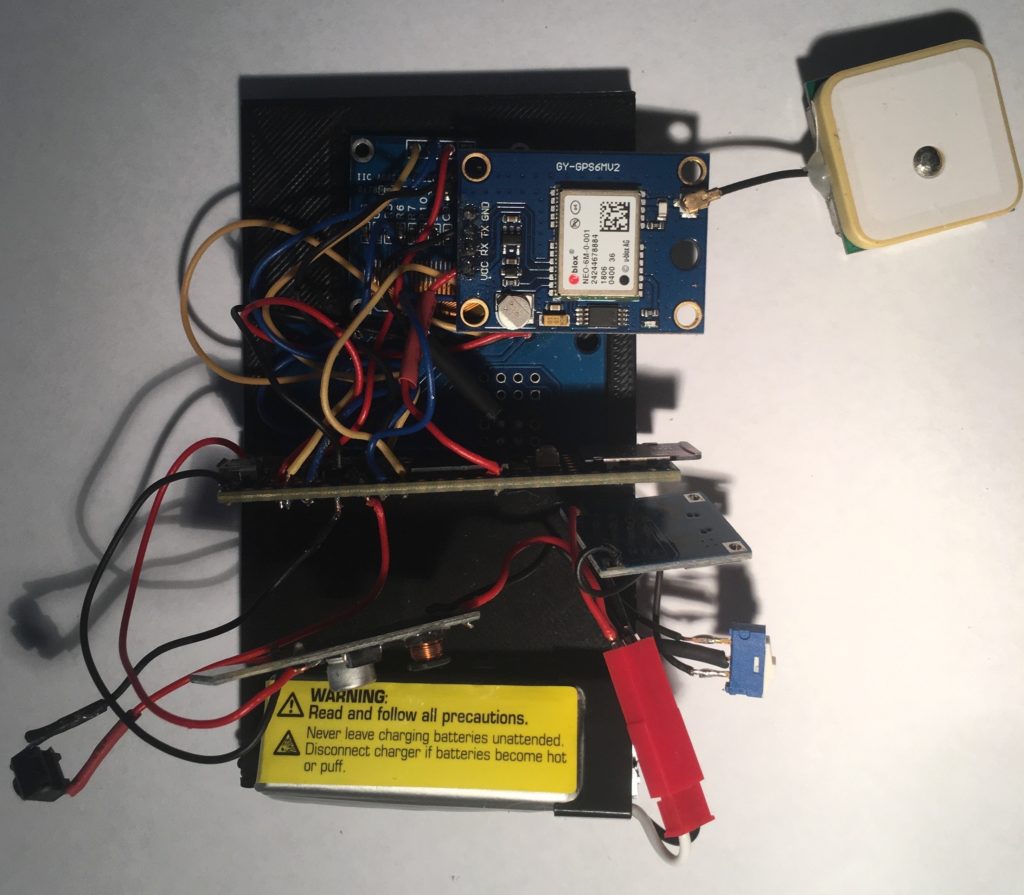
Finally, Frankie now has a 3D-printed lid. Sounds mundane, but this was in many ways the tricky part. It’s in two parts – one holding the keypad, sans suitable labels, the other covering the keypad electronics and holding the OLED screen.
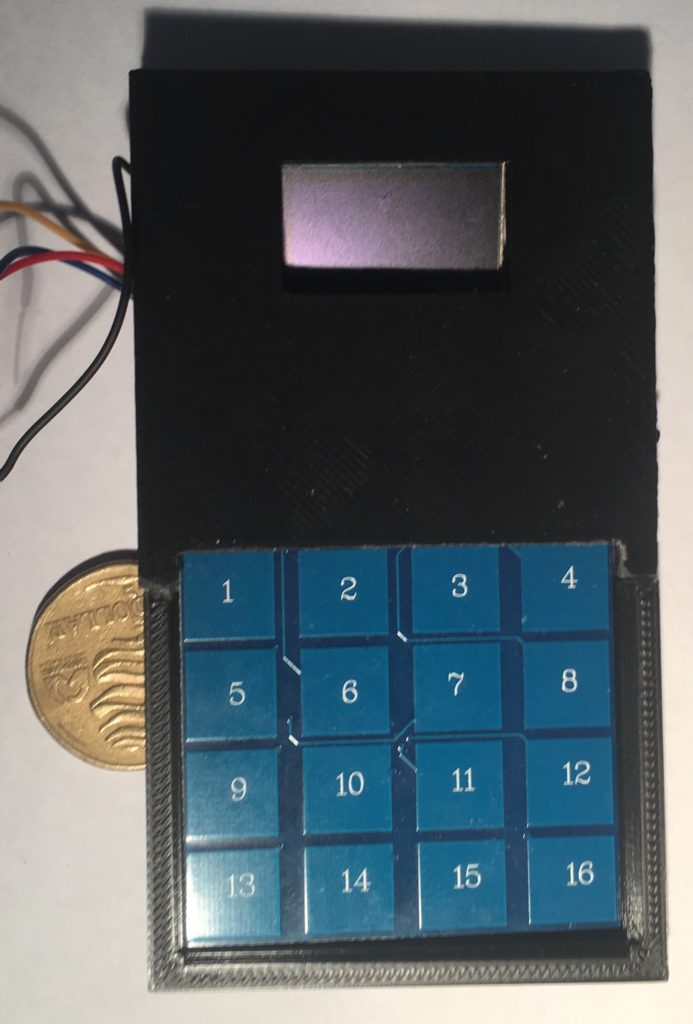
Top view. Keypad will have labels over the numbers…
Underneath the hood

Next, Ill be making the box which the lid fits on to.
Frankie rides again!

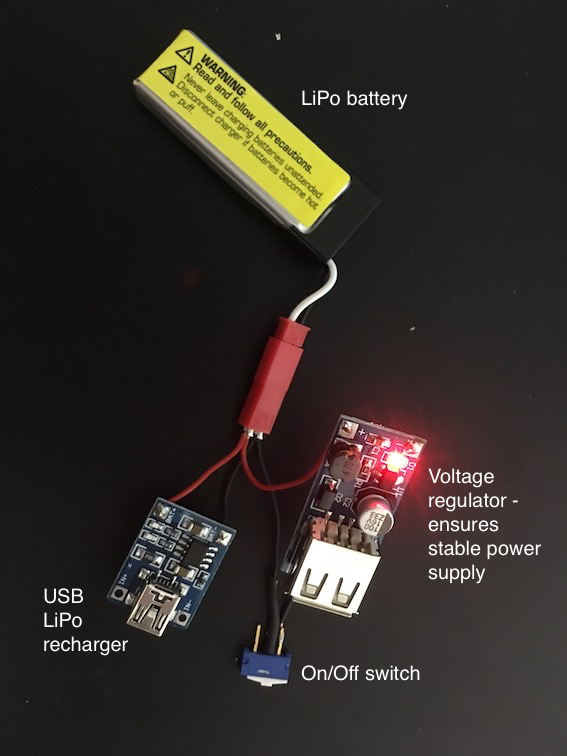
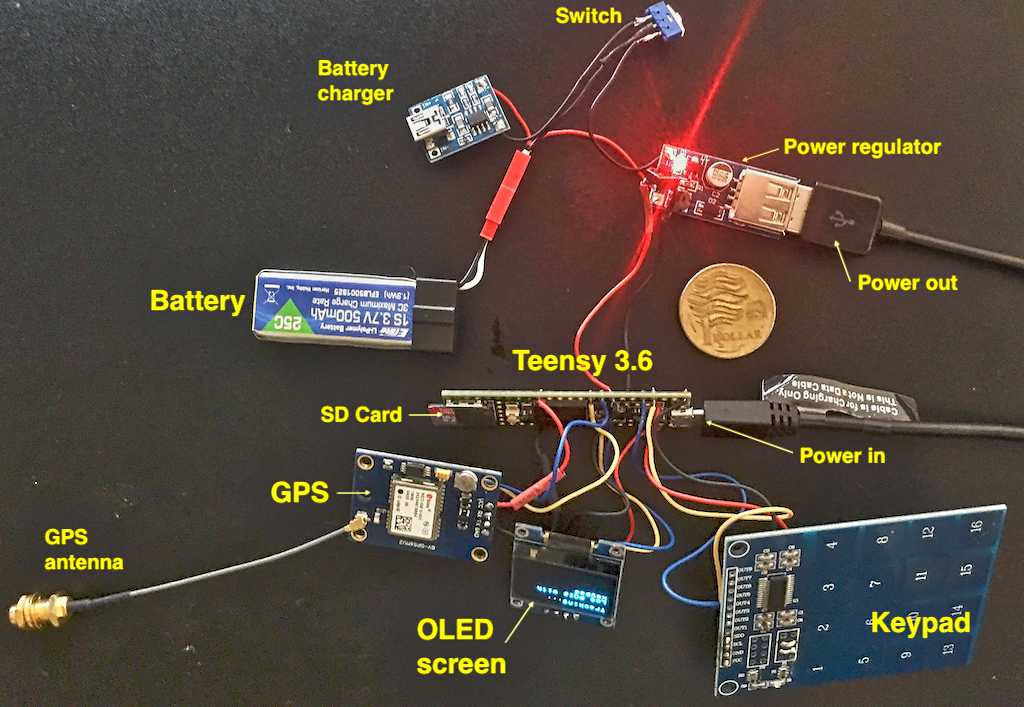
Well, Frankie is now a complete working prototype, albeit without a box. The issue with the new type of keypad has been resolved. And, Frankie now runs on LiPo battery power, meaning it can be recharged via USB.

The container will be a different shape – it incorporates the keypad and screen in a single unit, about the size of a mobile phone, only a bit thicker. I don’t have Apple’s, or, indeed, Samsung’s resources immediately available. Boohoo.

Now for the tricky part – 3D printing the container. Well, designing it first.

Keypad problem solved

Teensy with new keypad

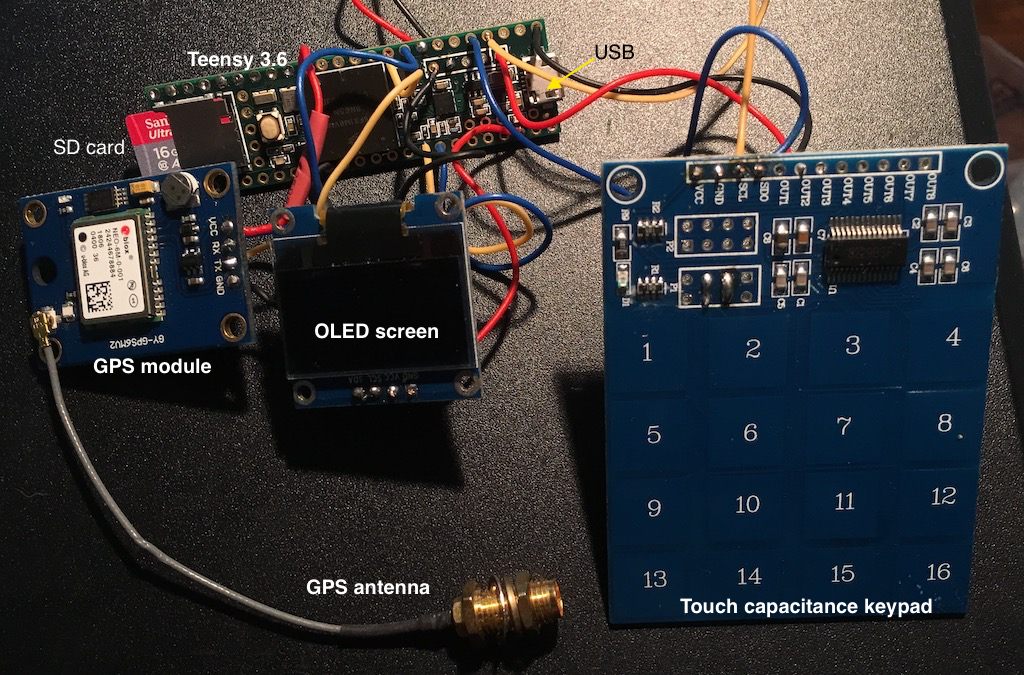
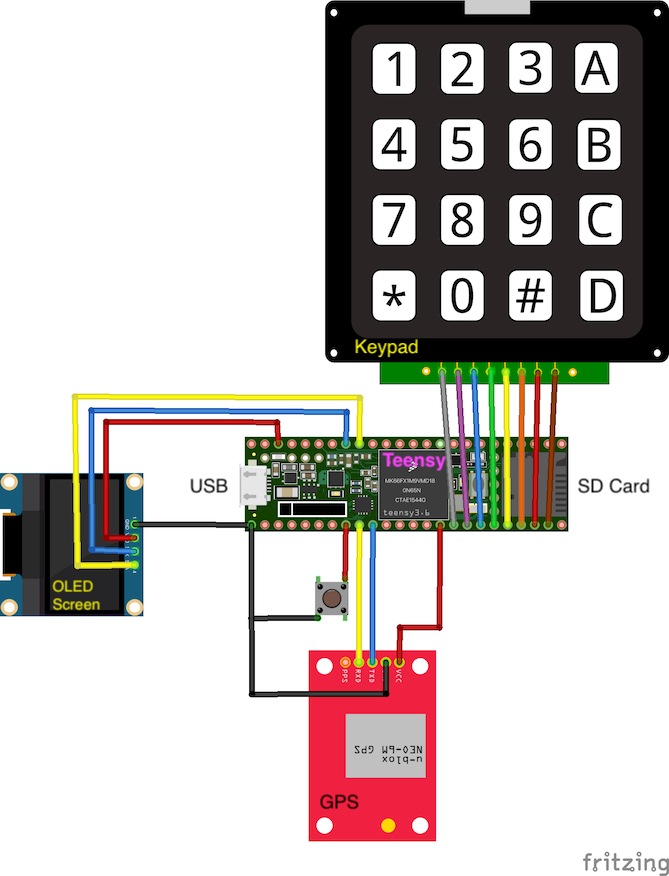
Ok, I’ve chosen a new type of keypad that is probably more suitable as it is rigid and can be incorporated in the device itself. I had tried this keypad before but could not get it to work properly, but now, using interrupts that allow me to detect rising and falling voltages, it works well. This image also shows how everything is connected up to the Teensy. I’ve build the rechargeable battery module so we’re ready to go from an electronics standpoint. Now, I just have to redesign the box it all goes into…

Power supply

Issues with the keypad

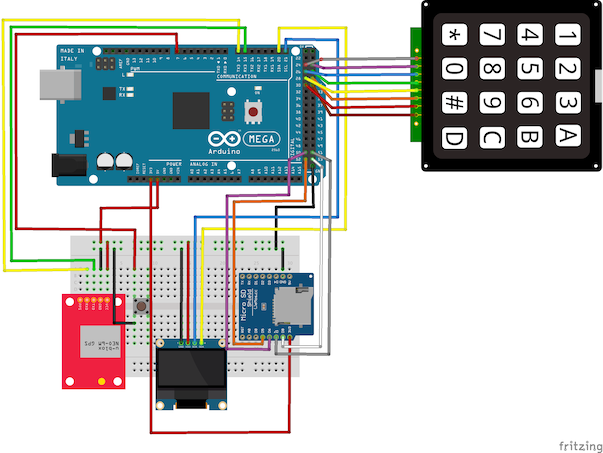
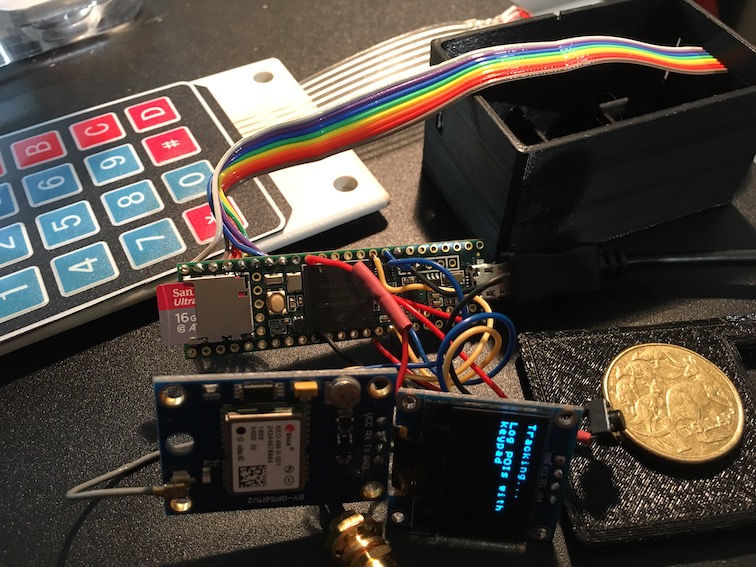
All the components are ready to go into the snazzy new box, but there seems to be a major issue with the keypad. The keypad is a 4×4 matrix, ie 4 rows and 4 columns. The electronics work by detecting which row and which column are pulled HIGH, hence identifying which key has been pressed (think of a ‘spreadsheet-type configuration, so R1C1 is the number ‘1’, R3C2 would be ‘8’). However, at the moment, R2 identifies as as R1, ie R! and R2 give the same row signal. I don’t know why… Probably the best solution is to convert the keypad to an I2C configuration.

All ready to get jammed into the snazzy new black box, BUT…