Pathways and Paws(es) Community Project – App Prototyping Phase II

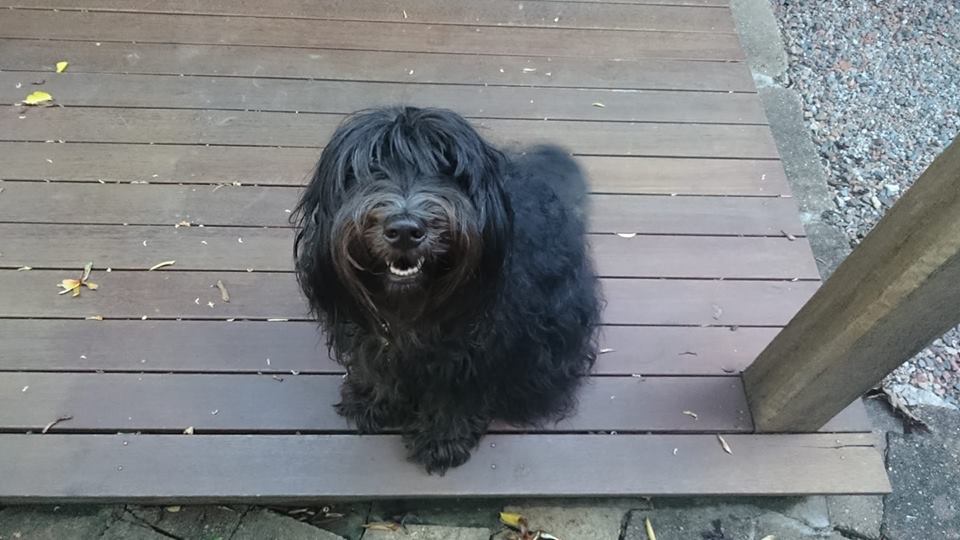
This is Kit, Labradoodle of Dr Truna. Kit’s not just here for his good looks and charm, he’s been incredibly helpful in the second phase of prototyping the Pathways & Paws app.

This second prototype had more of a focus on visualising walk data over the previous phase. For this prototype, we used data visualisation app RunParticles and Adobe Premiere Pro, data from the Dog Walks app, and of course our trusty four-legged companion Kit.

Dr Truna and I devised 3 different scenarios:

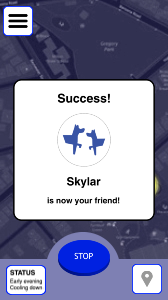
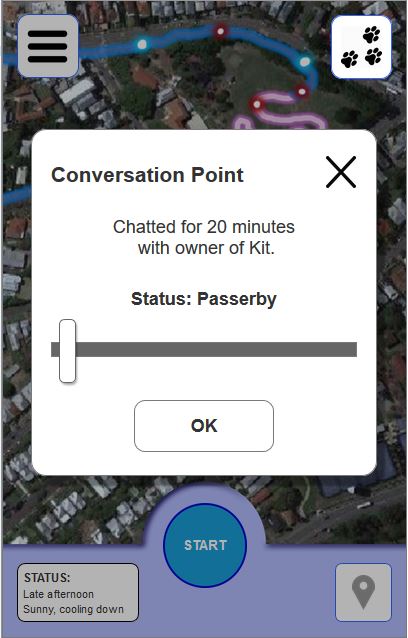
  1. Visualise the data from one walk – this would include the “friending” scenario from the first prototyping phase.
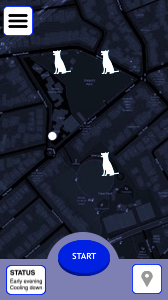
  2. Visualise the data from all walks – to view any trends in the data
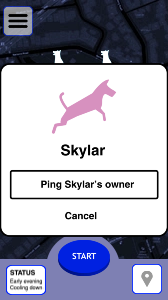
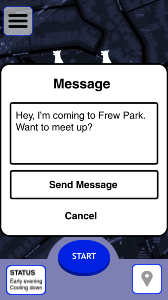
  3. Visualise how a user would contact other dog walking peers.

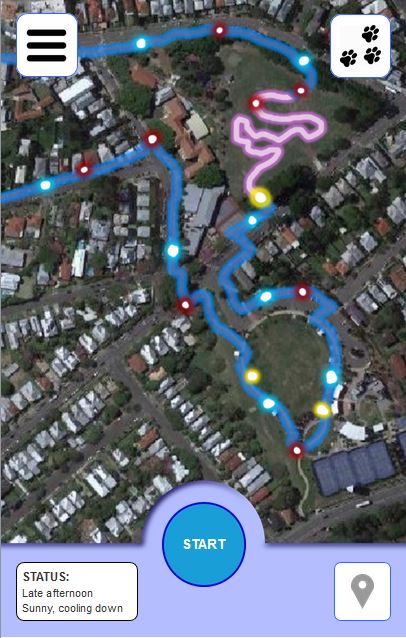
One hot afternoon Dr Truna and I took Kit down to the Brisbane suburb of Milton for a walk around the local parks. Using the Dog Walks app we captured all GPS data from our walk. We also flagged on the map whenever Kit needed to pee on a post, sniffed a nearby flower, or whenever we took him off the lead. The data was then exported from the app as GPX while Dr Truna gave Kit a big dish of water and treats for his efforts.
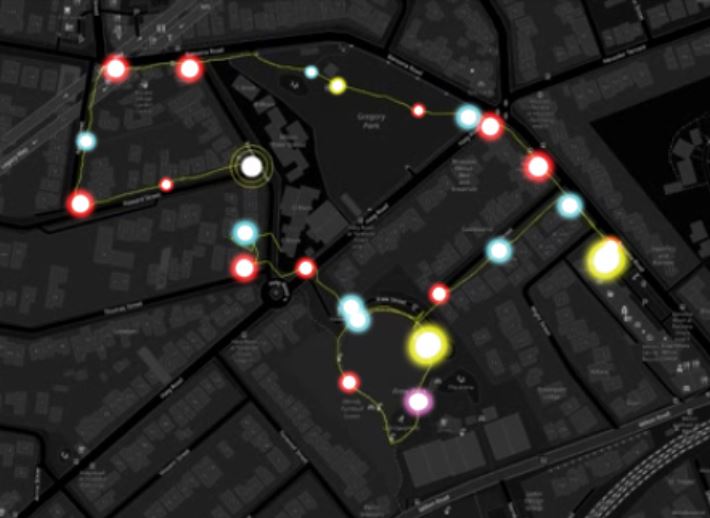
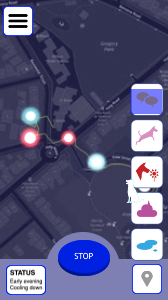
The GPX data was transferred and animated in RunParticles before being captured into Premiere Pro. All of Kit’s tag points were also put into Premiere as brightly-coloured dots (blue for pee, red for sniff, purple for poop, and yellow for chatting)

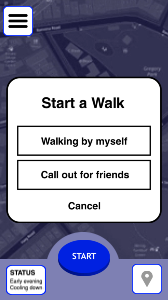
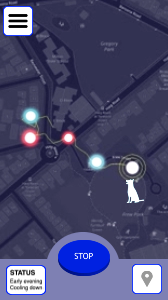
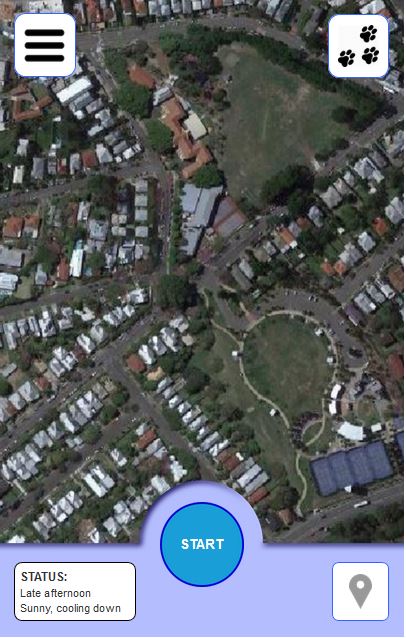
A second UI for the Pathways and Paws app was designed in Premiere, using the RunParticles data visualisations.

Below is a video demonstrating all 3 user scenarios:

Pathways & Paws(es) Community Project – Early App Prototyping

The Pathways & Paw(ses) Community Project aims to inspire social connections amongst inner-city dwellers through mobile technology, and with their four-legged companions. Through the use of a mobile app, a “soft social network” amongst members of urban communities can be created while still accounting for privacy. This network can have potential use in alerting community members of hazards or dangers for dog walkers, or for scoping the best local areas for dog walkers to congregate.

Several low-fidelity UI prototypes have been developed hosting both the data visualisation and community aspects of the Pathways & Paws(es) project.

Early mockups
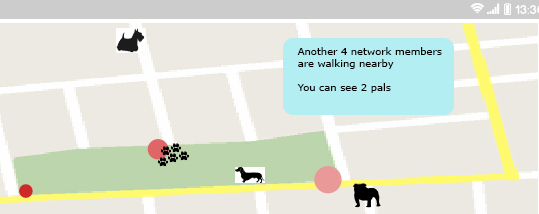
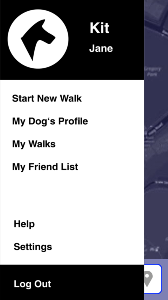
Early mockups were developed in Axure RP with a heavy focus on the usability and user experience. The main screen consisted of a Google Maps API where a user’s path with all tagging points for both the dog and user would be visualised. Clicking on each tag point would detail the event that had occurred (eg “Stitch peed here at 03:56pm”).

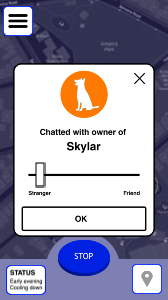
The first user journey mapped out had “Jane, owner of Kit” walk across two parkland areas, stopping to let Kit off-leash in one area before stopping to converse with another dog walker. Jane had connected with this walker (another app user) via their dog, Skyler. At the end of the conversation, Jane adds Skyler to her list of trusted peers, who will be recognised by the app the next time Jane takes Kit out fot a walk.

This added functionality to a standard dog walking app allows for the “soft social connection” between dog walkers, without the anxieties of asking a complete stranger for their phone number or Facebook.

Designing the smart phone app

During the early stages of the design ideation, the smart phone app was envisioned as a simple easy to use dog based networking app that worked in place and facilitated the typical face-to-face meetings that dog walkers generally experience in their local community walks.

This personal dog-based network could also utilise frequency and duration of meetings. One idea is to add tiers of ‘trustworthiness’ and to facilitate the emergence of a ‘levels of trust’ network that reflects the temporal nature of the network. So, an increase in frequency and/or duration would show as a higher level of trust, whilst a decrease would allow the ‘trust’ to be eroded over time. A system like this would deepen the place-making and experiential data visualisation. It would also allow for inclusion of interactive elements to enable community exchange. 

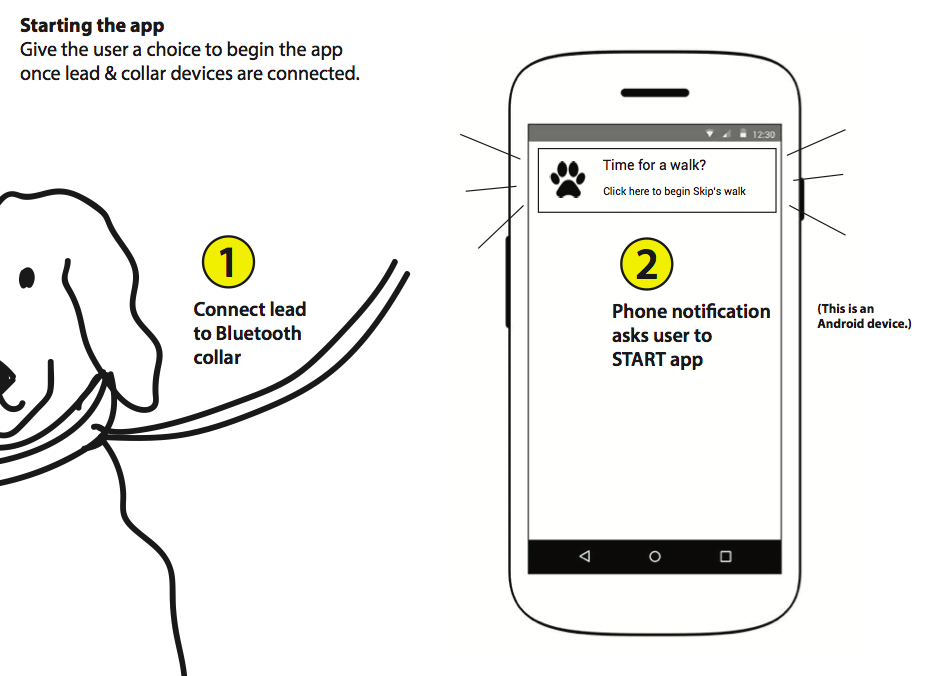
The app was envisioned as working with a bluetooth device which would be attached to the dog’s collar and activated when the lead was clipped on.

Design concept by Liam McKernan
Smart phone view of active local network members