Pathways & Paws(es) Community Project – Early App Prototyping

The Pathways & Paw(ses) Community Project aims to inspire social connections amongst inner-city dwellers through mobile technology, and with their four-legged companions. Through the use of a mobile app, a “soft social network” amongst members of urban communities can be created while still accounting for privacy. This network can have potential use in alerting community members of hazards or dangers for dog walkers, or for scoping the best local areas for dog walkers to congregate.

Several low-fidelity UI prototypes have been developed hosting both the data visualisation and community aspects of the Pathways & Paws(es) project.

Early mockups
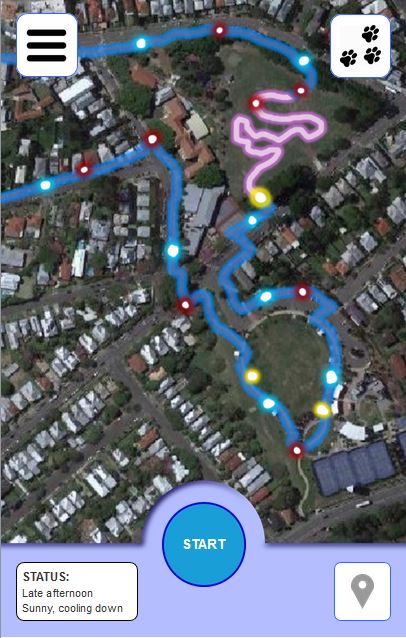
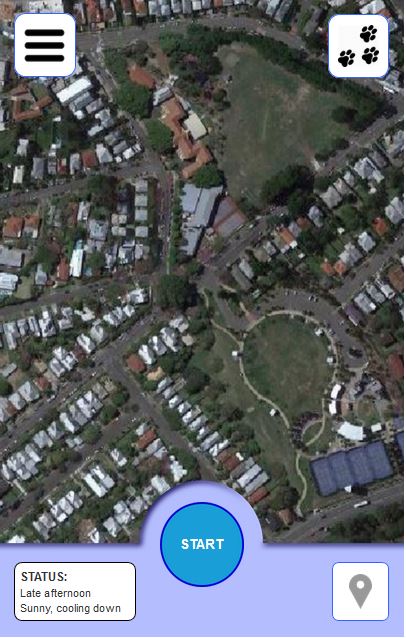
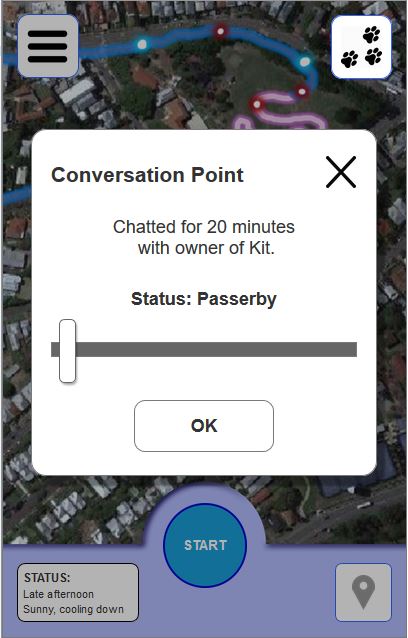
Early mockups were developed in Axure RP with a heavy focus on the usability and user experience. The main screen consisted of a Google Maps API where a user’s path with all tagging points for both the dog and user would be visualised. Clicking on each tag point would detail the event that had occurred (eg “Stitch peed here at 03:56pm”).

The first user journey mapped out had “Jane, owner of Kit” walk across two parkland areas, stopping to let Kit off-leash in one area before stopping to converse with another dog walker. Jane had connected with this walker (another app user) via their dog, Skyler. At the end of the conversation, Jane adds Skyler to her list of trusted peers, who will be recognised by the app the next time Jane takes Kit out fot a walk.

This added functionality to a standard dog walking app allows for the “soft social connection” between dog walkers, without the anxieties of asking a complete stranger for their phone number or Facebook.
Designing the smart phone app

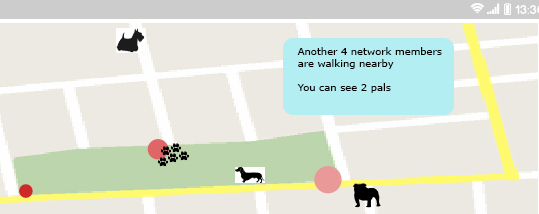
During the early stages of the design ideation, the smart phone app was envisioned as a simple easy to use dog based networking app that worked in place and facilitated the typical face-to-face meetings that dog walkers generally experience in their local community walks.

This personal dog-based network could also utilise frequency and duration of meetings. One idea is to add tiers of ‘trustworthiness’ and to facilitate the emergence of a ‘levels of trust’ network that reflects the temporal nature of the network. So, an increase in frequency and/or duration would show as a higher level of trust, whilst a decrease would allow the ‘trust’ to be eroded over time. A system like this would deepen the place-making and experiential data visualisation. It would also allow for inclusion of interactive elements to enable community exchange. 

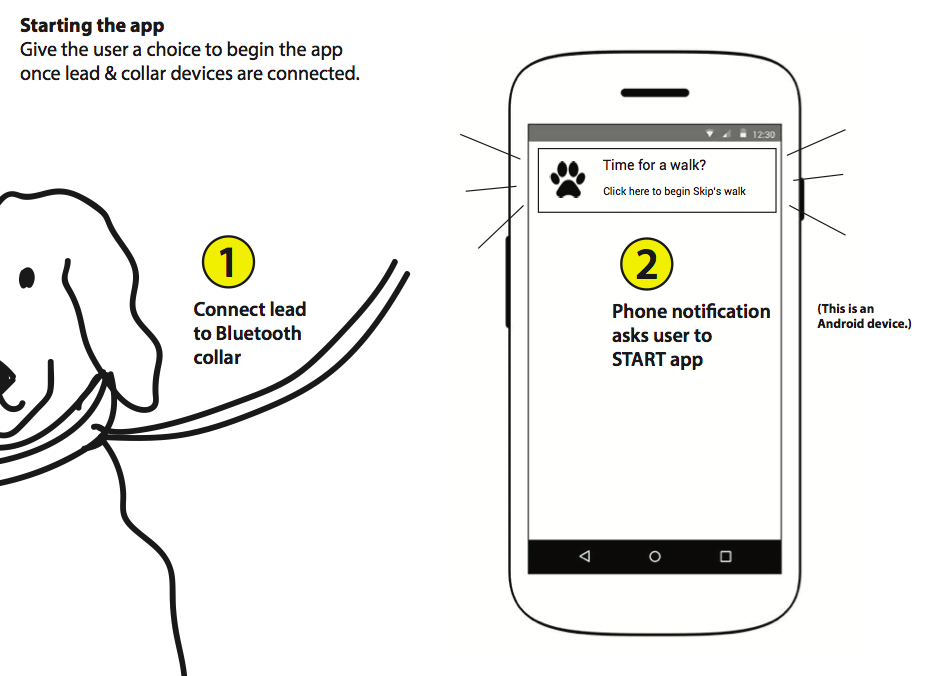
The app was envisioned as working with a bluetooth device which would be attached to the dog’s collar and activated when the lead was clipped on.

Design concept by Liam McKernan
Smart phone view of active local network members

Tracking data and data logging issues

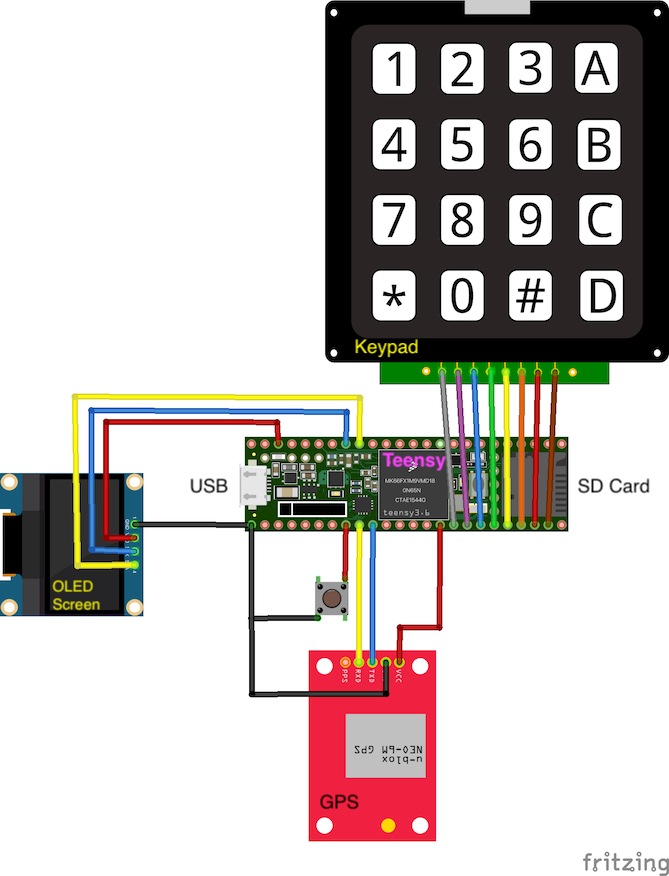
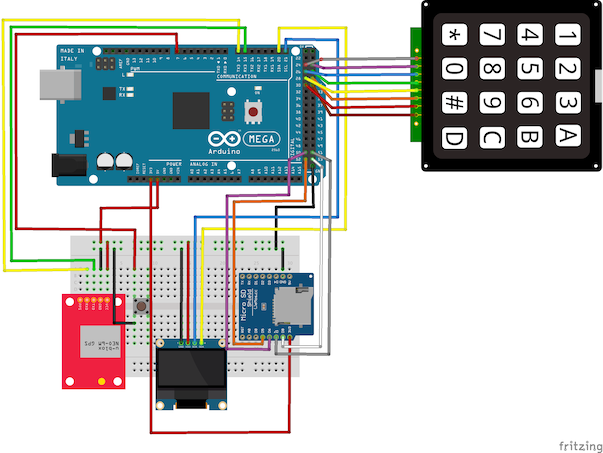
As the project moved more towards data collection for co-performed place-making, it became more evident that the tagging of multiple types of waypoints during a walk, while a feasible activity for the research team, was a big ask for any project participants. We need a much simpler way of tagging the GPS routes with distinct waypoints.

This is a design concept that underpins the current low fidelity app design.

It also inspires the direction that the hardware design took.

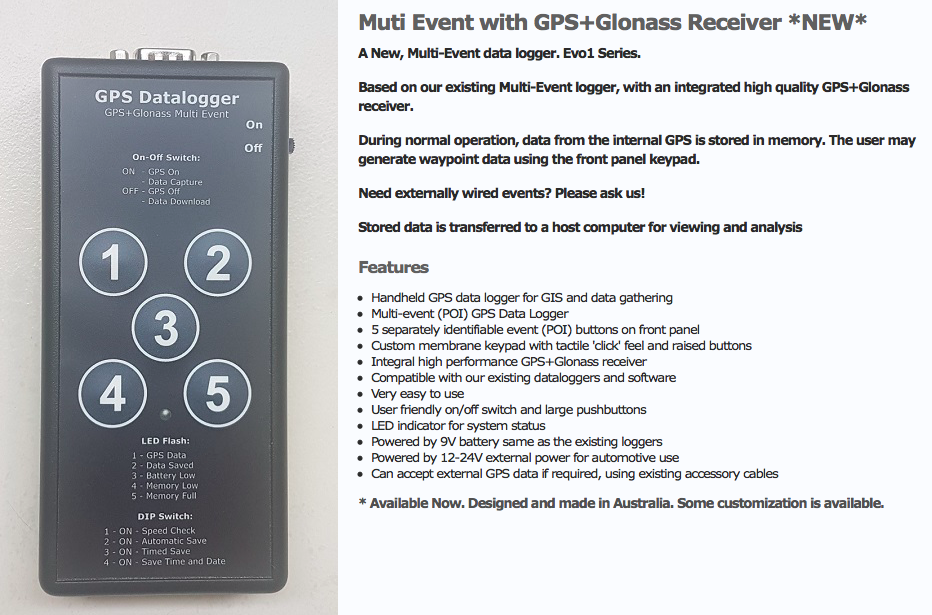
A conversation with a colleague who used to work with data collection for Parks and Wildlife provided some insights. They also have occasional need to note specific data types attached to waypoints (specific feral cats or specific weeds for example) and used a keyboard input data logger.

Probably something like this one – note the cable input

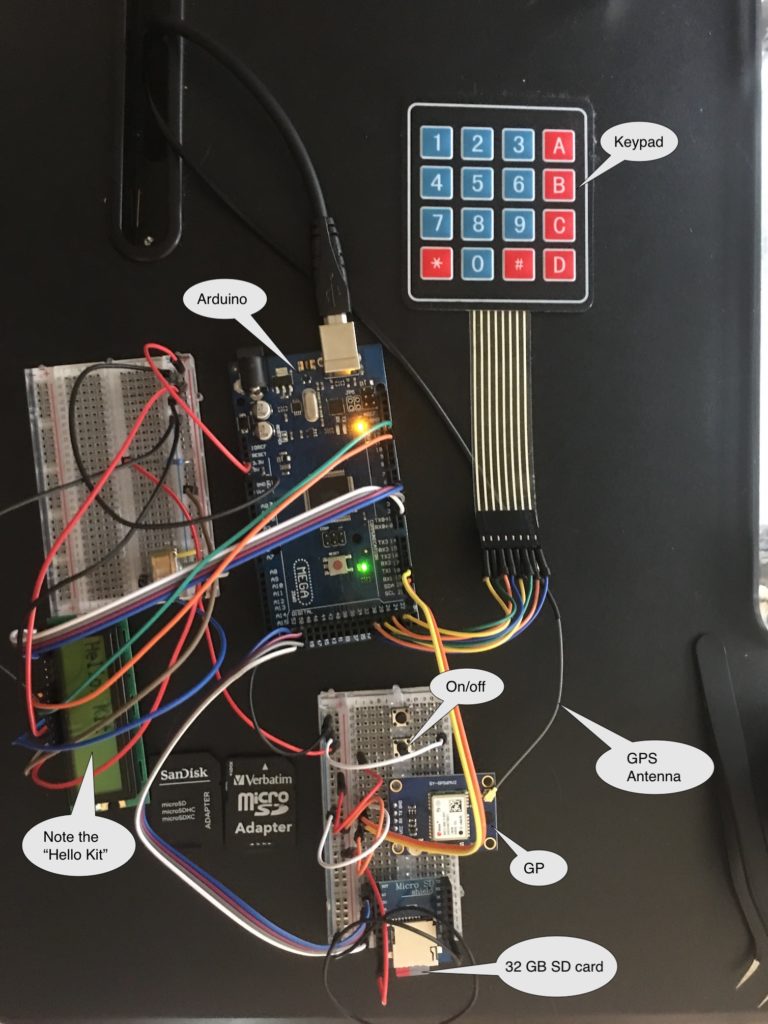
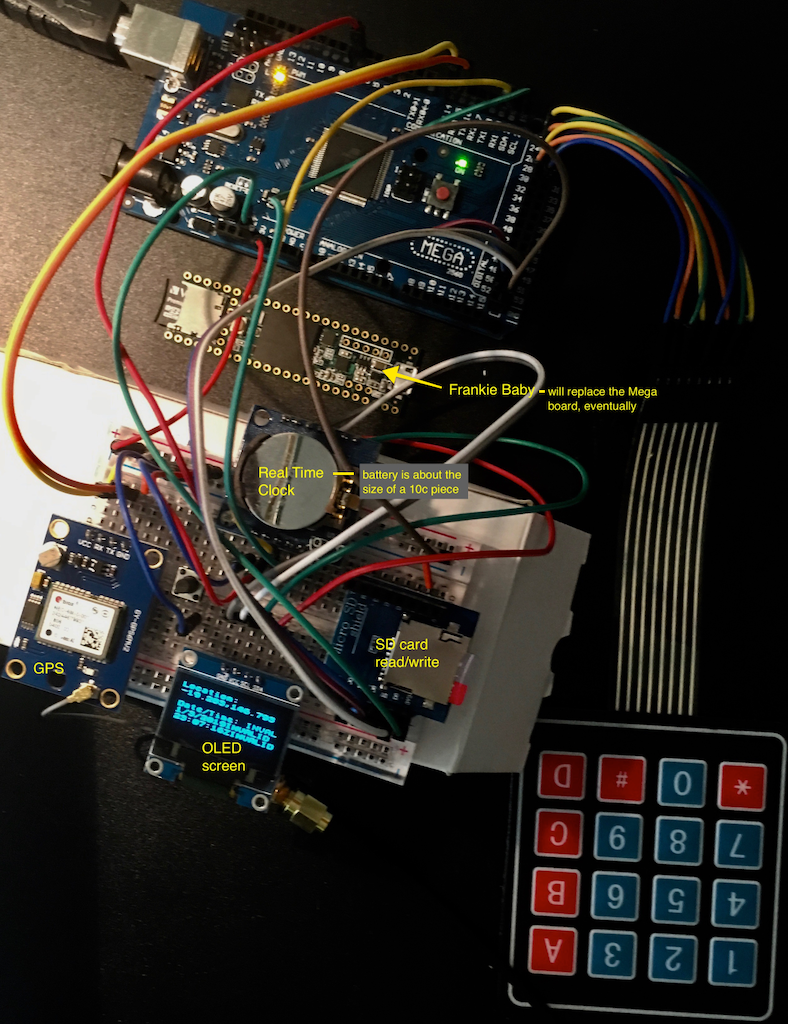
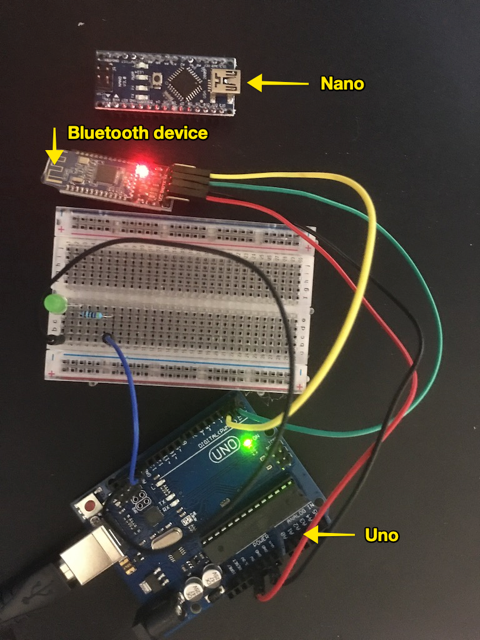
Commercial multi-event data loggers that allow customizable key inputs are not common. Our next step was to develop our own:

A work in progress …

Early design concepts: capturing the dog’s experience

A major aspect of the earliest design concepts for the project is the idea that the companion animal is an important co-performer in the experience and the place-making that occurs during the walk.

Early design work proposed a bluetooth dongle for the dog that would be activated on attachment of a lead and which would generate a UID. The idea was that any community networks would be generated through the dogs themselves.

Once the walker actively joins the local network, their dog would be displayed as a presence on the map, providing the basis for ‘trusted networks’ in much the same way that we do tend to make stronger connection with other walkers whose dogs get on with our own.  Trusted networks can then be created through Physical Community Exchanges (PCEs), generated when two Bluetooth devices (two dogs) come into proximity. Walkers would be alerted by the mobile device and then have the option of adding each other to a personal network. 

Pathways and Paws(es) 2018
Walker’s view of network showing other (network member) dogs
Early hardware explorations for Bluetooth dongle construction

This early low-fi prototype is still a work in progress. This particular sub-project has been mothballed somewhat in favor of a focus on the data collection.

Data visualisation design process

Following on from design insights based on the initial GPS tracking and waypoint tag work, current data visualisation aims to reveal activity in place in order to design different ways to display the data over time.

Waypoint tags – testing phase

The first test phase of data collection ended up using a limited set of tags for the waypoints – mainly because these emerged as the pertinent tags and in part due to the multi-step process of adding them by hand

Maps also have some random tags added by way of notes e.g. Off Leash / On Leash, Roll, Cat. Plus a few compound tags e.g. Pdc (Person en passant with chatting)

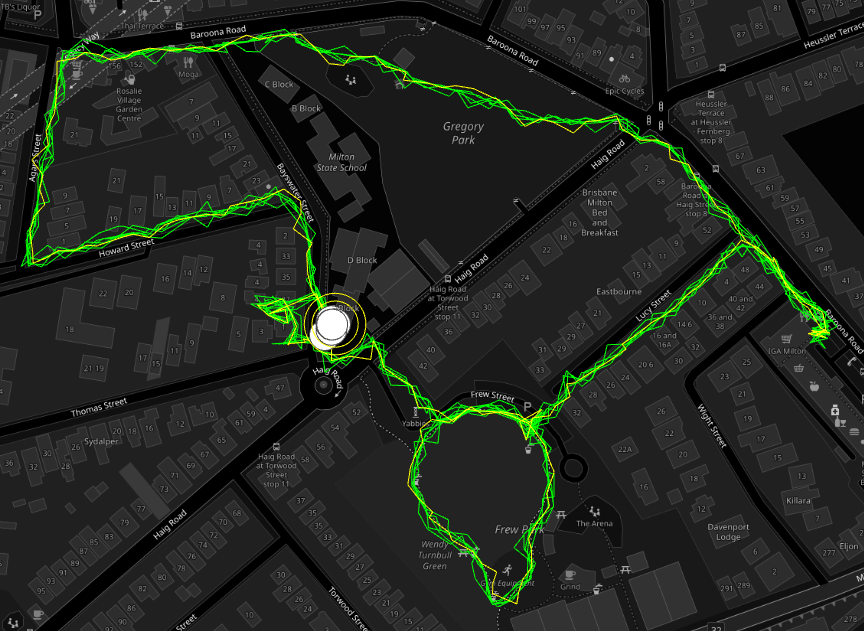
Tracks generated with dogwalk and GPS Route Logger Dongle

Using RunParticles – neat little GPS track animation program

Same route, same dog, 7 walks (no waypoint display option)

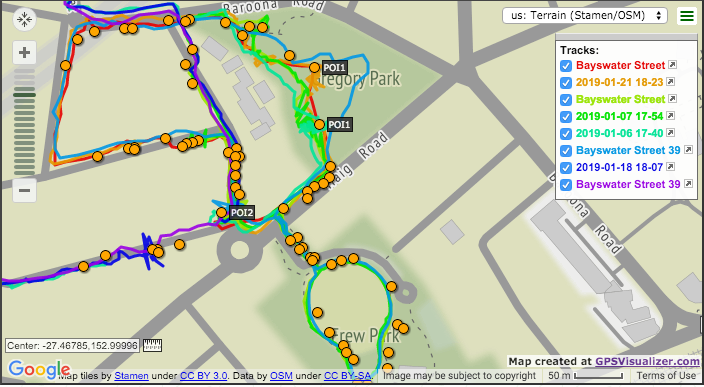
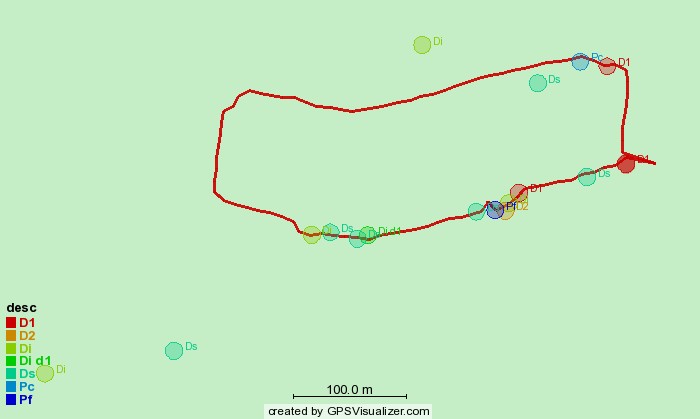
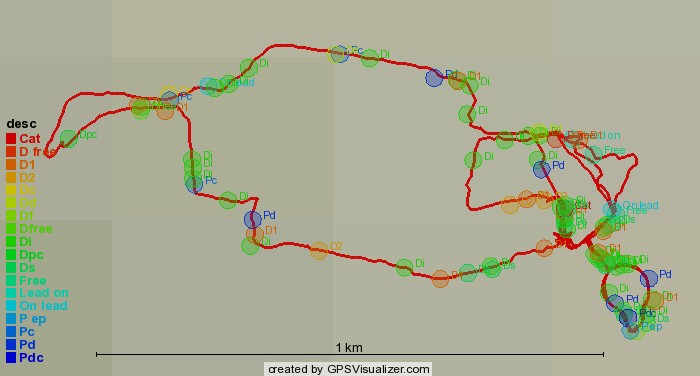
Using GPSVisualizer – routes and waypoints display option

4 separate walks with two tracked participants each time (person and dog), shows waypoints but can only view tags in live version

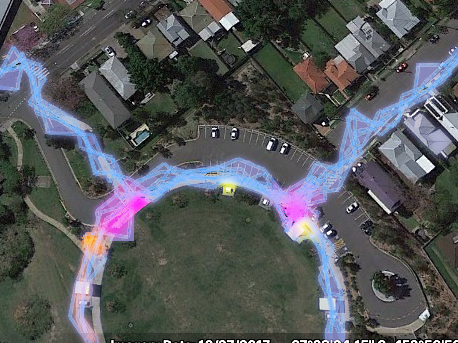
Using GPSVisualizer – data points colorizer option

Single walk, minimal tags (generated with dogwalk)
3 walks; 3 routes, minimal tags (including dog off leash) – hot spots emerging
Multiple tracks and emerging hotspots

Evolving the waypoint tags: moving towards data visualisation

Continued from early waypoint tag concepts

The first play test dog was achieved with two researchers walking in tandem with the dog. This meant that one research was able to drop in the tags while the other walked with the dog. Adding waypoint tags to dogwalk is actually fairly cumbersome. The steps are: Open the app (it runs in the background); hit the map to open a pin drop dialogue box; type in the text.

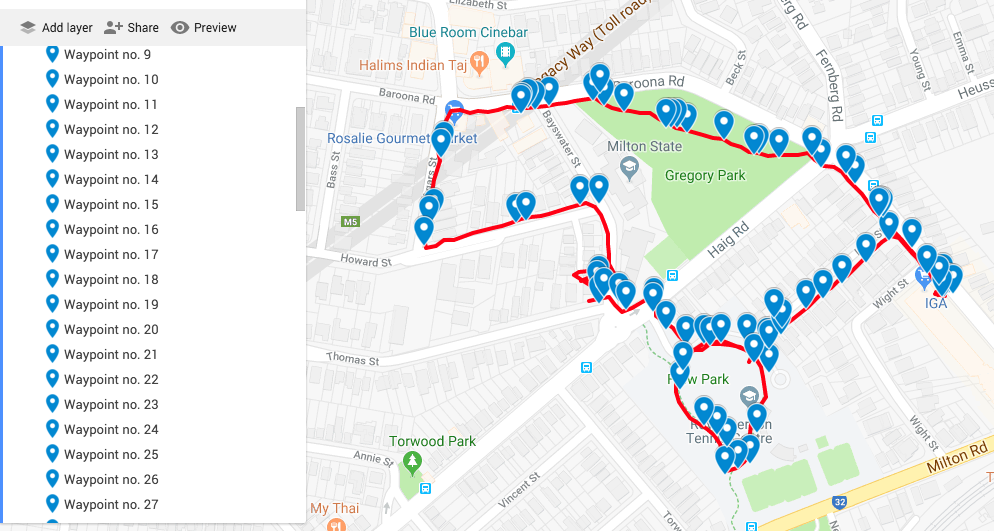
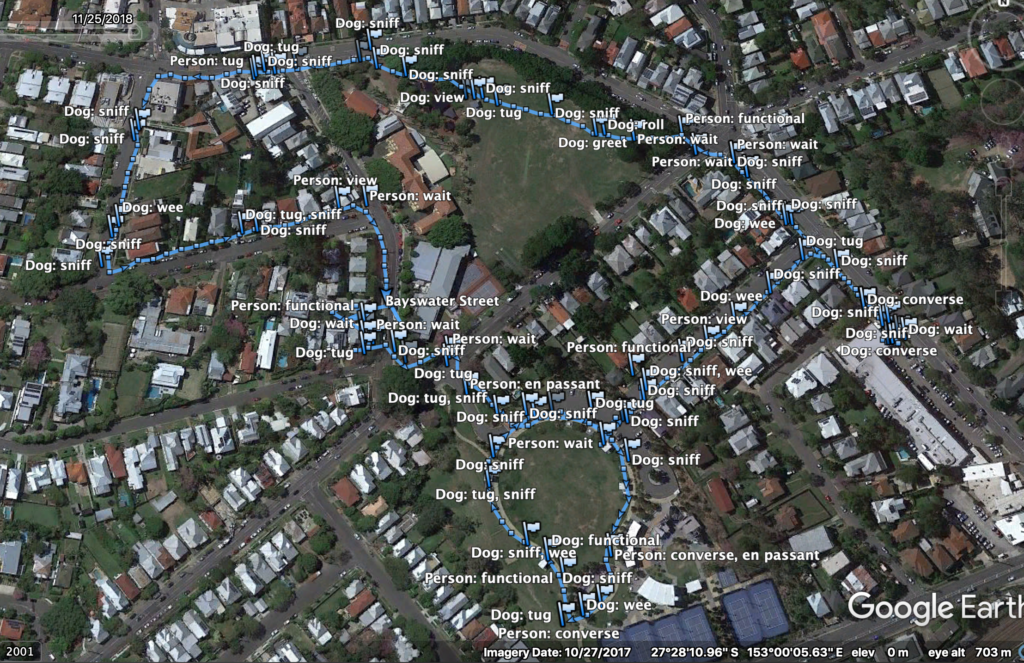
The first walk did result in a rich set of data. The GPX file with its tag codes was run through excel to convert the codes to text so they could be read more easily. It was then viewed via Google Earth.

GPX file with waypoints
Walk with waypoint tags treated for readability

This is perhaps too many distinct tags for a single walker without a co-researcher walking along beside. Some of the proposed tags were not as useful as one might suppose (at least in the case of the specific companion animal). Sniff (S) for example was less of an event but more of an approach to the terrain on the part of the dog. This could be because the breed is a slightly famous ‘garbage guts’ and will seek potential food where ever it can and probably because the data collection itself slowed down the pace of the walk giving the companion animal time to sniff around a lot more. Tug (T) was also too vague. The Dog Wait (DW) tag didn’t seem viable as it was again, too vague and didn’t fit in with any actual recorded behaviour.

Allocating colors to the waypoint tags

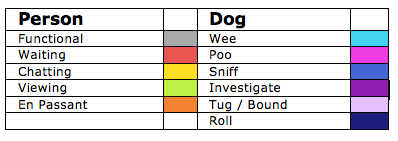
Refined waypoint tag set – colour selection based on distinct colour set based on Kenneth Kell’s 22 colours of maximum contrast.

Typical map backgrounds create issues for data visualisation clarity and limit potential colour use. The waypoint tag list is still a work in progress but we wanted to get an idea of what a data visualisation might reveal.

Refining tags and colors

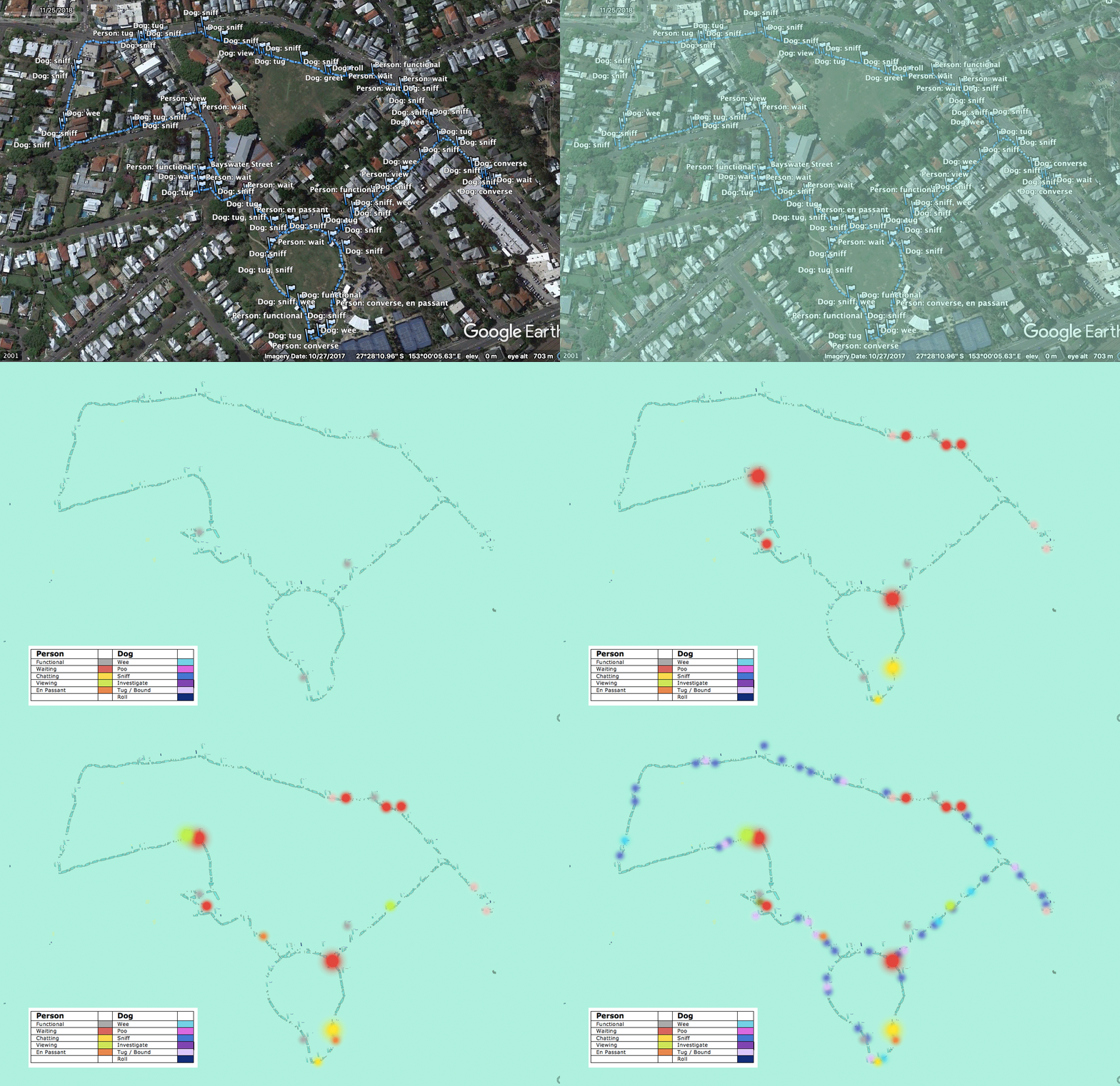
The first data visualisation animated mock-up. Waypoints scaled according to a rough estimate of time spent according to the GPX file.

Animation of the colored waypoint tags applied to the data

To trace route or not to trace route?

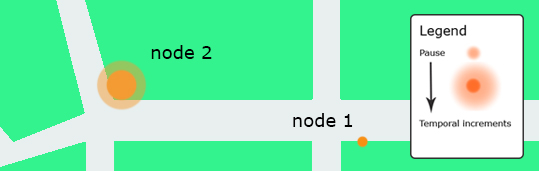
A key concept in early discussions about potential design work was the importance of fore-fronting the experience over the autocracy of the line of the route. A potential visualisation concept was to show different activities as nodes and to indicate time spent engaging in the activity.

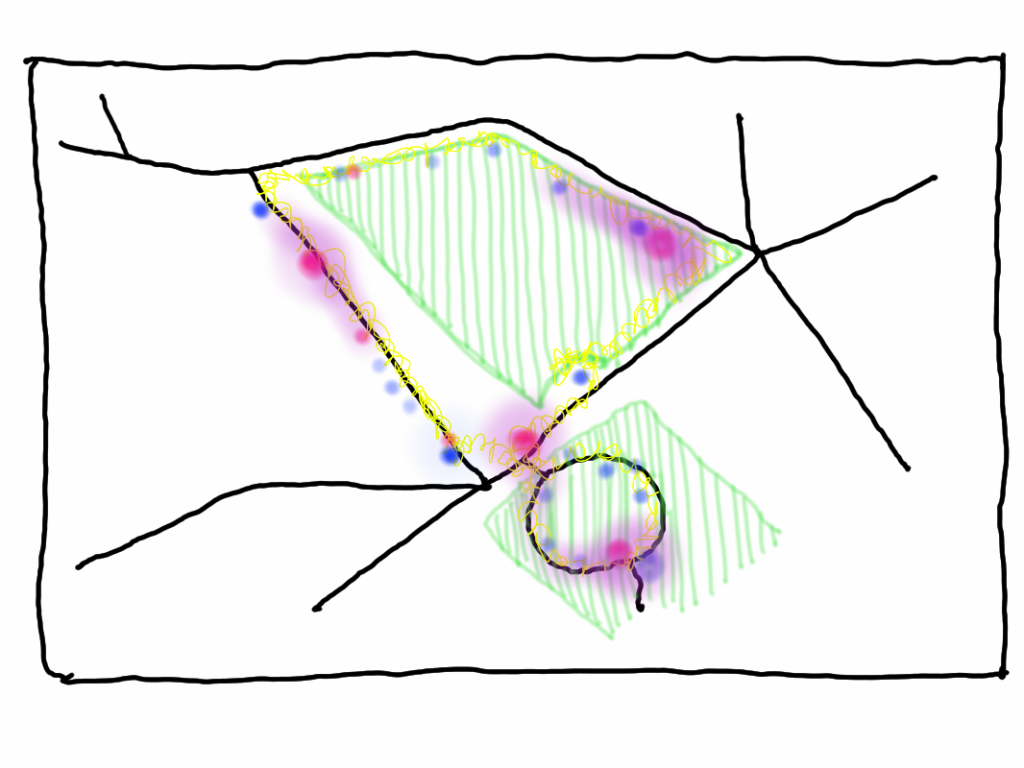
The concept here was that this would give us hotspots over a selection of walks which could be used as indicators of place-making.

Concept sketch – waypoint chatting tags after multiple walks show conversation / chat hotspots

While the typical line of the GPS app is too overt and flattens the record of experience, no route line disappears the nature of the journey. Both nodes and routes need to be visualised together.

Inspirations

Craig Taylor’s Plotmypaws

Craig Taylor’s work is the inspiration for subsequent data visualisation work.

Early design: tagging experiential waypoints

A key concept in the Pathways and Paws(es) design is reaching into the experience of the walk as a co-performing partnership between person and companion animal.

We are particularly engaged with the potential for physical place-based designs where the central design metaphor is daily life and emergent place-based community connectivity. If we are truly going to design for slowing down then considering physical place as a collaborative partner in the designing is essential. We are also enticed by the potential of the re-focus on the pauses (places) of the typical GPS tracking app. If we include the pauses that our dogs make during the walk then we are setting ourselves up for the next phase of the project which might look at constructing place-based tracking from the companion animal’s perspective. 

from Pathways & Paws(es) 2018

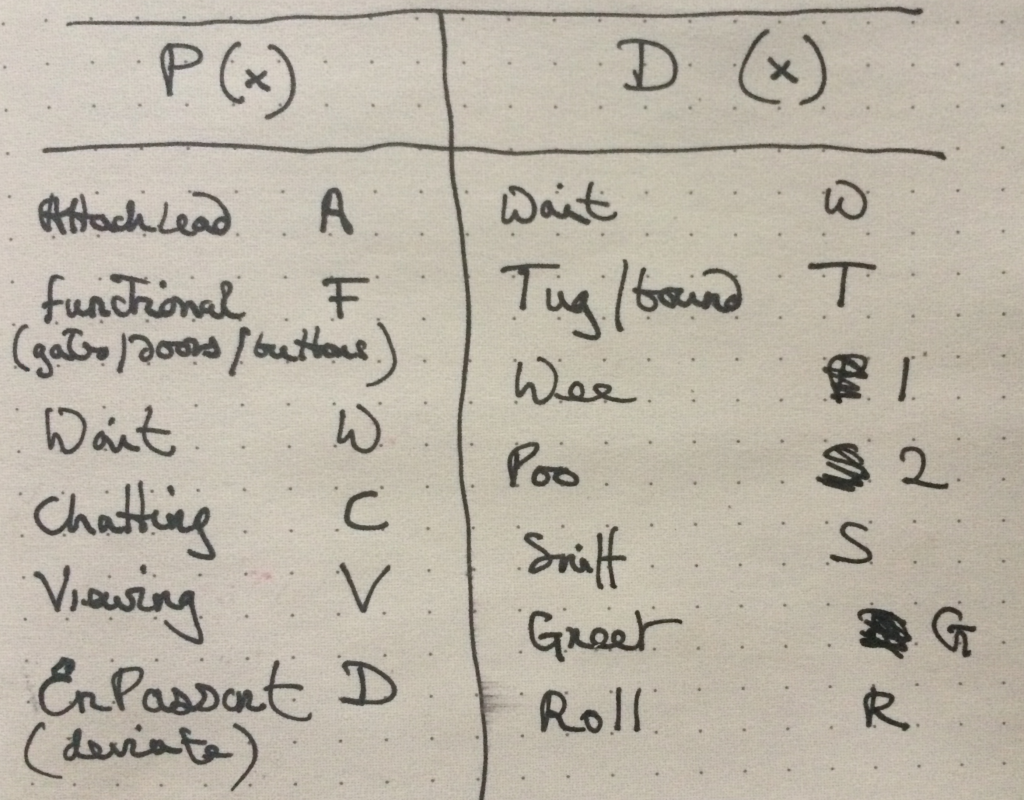
We started listing the kinds of experiences that both the walker and the companion animal might have in order to get a list of quick codes that we could use to annotate waypoints in dogwalk.

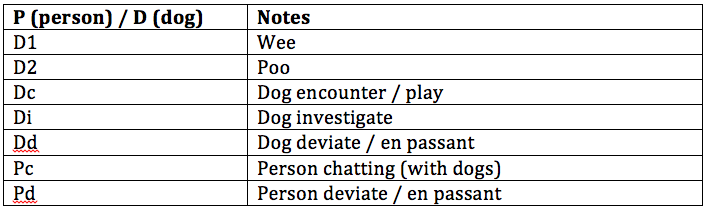
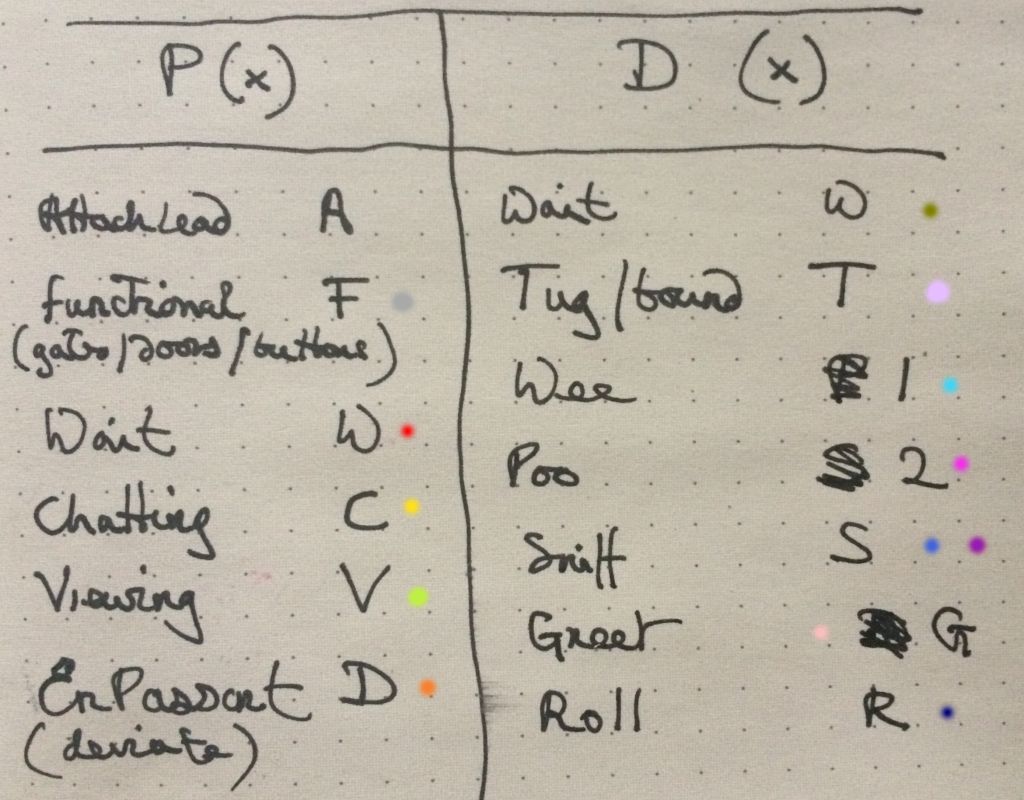
The first list of possible waypoint tags

Some of these tags reflect very early design ideas. Attach lead (A) was intended to be an important tag because the notion was that this could later become a simple way of activating the GPS tracking and providing a start point for a geofence (e.g. tracking would actually start 50 metres after attaching the lead in order to avoid giving away personal information and a home address). Functional (F) seemed useful because it might encompass hurdles and barriers such as gates or crossing. Wait (W) was in a similar vein but purposed to the concept of using the app to reveal ‘broken’ pathways. For example a 10 minute wait to get across a busy road. The Viewing (V) tag was a kind of corollary to waiting, so stopping to admire or enjoy something during the walk. Chatting (C) refers to an actual exchange between the walker and other people and En Passant or Deviate (D) is an attempt to capture the we often walk passed others and acknowledge their presence by avoiding them or containing the dog. For example passing someone with a stroller who needs the space or passing someone who doesn’t wish the dogs to meet.

The waypoint tags for the dog in this list are again somewhat off the cuff. Wait (DW) was an idea that the dog might stop for its own reasons (perhaps durning an En Passant). Tug (T) encapsulated a need on the part of the dog to investigate something, that sudden veering towards a particularly interesting smell. Sniff (S) was intended to actually capture the dog’s smelling activity, Roll (R) is an extension of this as most of the exuberant dog rolling takes place on the more interesting smells. Greet (G) refers to the friendly dog to dog exchanges.

Wee (1) and Poo (2) are obvious animal business but also from the dog’s perspective often important recognition of other dogs passing in the same place. Scent marking is an instinctual behavior in which a dog deposits their own odor — in the form of urine or feces — onto the environment to mark territory or make a statement. Other dogs who come upon the scent can discern a lot about fellow canines in the neighborhood. Apparently they also orient themselves against the earth’s magnetic field.

Next: Evolving the waypoint tags

Early design concepts: scenarios

The very first design concepts used the following scenarios:

Let us imagine the following, based on a hopefully rare personal experience. A senior walker, who lives on their own, is walking the dog on a rainy day. They slip on the wet road and break an ankle. Fortunately, there are others around who render assistance. But what about the dog? There is no-one home to call and the helpful people who called the ambulance don’t stay around once it arrives. This is where a trusted network of community dog walkers might rally round. As we tend to walk our companion animals at regular times of day and see the same walkers, the chances are they will be nearby and will know the walker and their dog and come to their aid.

A second scenario considers community support and companionship. Many urban parks offer fenced dog park areas that often are busy social locations. However dog parks are not without issues, particularly for the older walker. Apart from often being accessible only by car, many are merely fenced enclosures where there is no guaranteed control, resulting in potential risks to dogs and people. A supportive network of walkers might alleviate this.

Another scenario that would be facilitated by a trusted network is the option to find company and perhaps go on more adventurous walks as a result. Many of us tend to walk the same routes but having a walking companion could lead to exploring further afield. In addition, having a companion walker might lead to a pause in the walk, perhaps stopping for a coffee, or sitting in a pleasant spot to enjoy a view. We often share these new pathways and their opportunities for pauses with other walkers we meet.

Exploring new pathways leads to yet another scenario, one also arising in personal experience. Some sites that are ideal for walking are isolated by virtue of road networks and travel systems. For example there is a wonderful old graveyard at the top of the hill in my own locale but access to it requires crossing an extremely busy fast access road to the highway. There are also convenient river side walks nearby but some stretches of these walks are essentially fast bicycle highways and highly inappropriate for the walker. Both of these access issues could be ameliorated if there were dog friendly public transport periods. The graveyard could be accessed by bus, the quieter parks on the riverside walk could be accessed via river transport. A network of dog walkers could provide the beginnings of a community consultation / mobilisation group.

The design scenarios echo Foth and Guaralda (2017) who point out that ‘people are natural place-makers’ and that place-making community connection, health and well-being are improved through fostering natural place-making.  Natural place-making also fosters a more collaborative engagement between people and administrative bodies (consider the residents who know an area well enough to have the confidence to discuss future plans with a local counselor). Critically, ‘natural’ place-making must be allowed to occur rather than being designed and deposited. Place-making is a grass roots activity. It must emerge out of community participation. Data and participatory mapping for community and place-making is not new. Since de Certeau’s insights (1984) into the practices of urban dwellers as they re-make the conceived space of the designed city according to their own living needs and routines, we have tried to use design to construct space and turn it into place.